

This article includes insights generated by AI and has been reviewed for accuracy and relevance to ensure you have the most reliable strategy for managing AI generated Google Ads support emails.
As Google rolls out AI-generated support replies, advertisers face both speed and accuracy challenges. Understanding what “AI generated” emails mean, how to validate their content, and when to escalate to a human reviewer is critical to maintaining campaign performance. In this deep dive, we outline a risk-based governance framework to verify AI responses, protect sensitive account settings, and integrate a human review workflow PPC professionals can adopt immediately.
What “AI generated” Google Ads support emails mean for advertisers
When you receive a message marked with the “AI generated emails” disclaimer, Google Ads support AI disclaimer alerts you that the content was composed by a language model. This doesn’t necessarily reduce the value of the guidance—it often speeds up response times—but it does shift responsibility to you for verifying account recommendations. Key points:
- Disclosure of AI assistance: A banner or signature indicating “AI generated emails” informs you that no human agent drafted the initial reply.
- Potential inaccuracies: The disclaimer explicitly warns that service details may not always align with your specific account configuration.
- Data usage: User activity can feed back into Google’s AI systems, so every interaction may refine future automated support.
Advertisers should treat these messages as provisional, especially when they involve policy clarifications, billing adjustments, or campaign structure changes.
Why AI can be faster—but where accuracy can fail (and how to spot it)
AI models excel at scanning large knowledge bases and drafting coherent responses within seconds. This reduces hold times and frees live agents for more complex queries. However, AI generated email accuracy can vary based on training data recency and the model’s understanding of nuanced account contexts. Watch for:
- Generic language: Phrases that sound templated rather than specific to your ad copy or targeting settings.
- Outdated references: Suggestions invoking legacy features or deprecated bidding strategies.
- Mismatched account IDs: Recommendations that reference incorrect campaign names or budget figures.
To spot errors, cross‐check any critical instruction—such as changing payment methods or approving new URLs—against your actual account details. When in doubt, verify account details Google Ads support via the UI or escalate to a human agent.
A risk-based workflow to verify AI support replies before acting
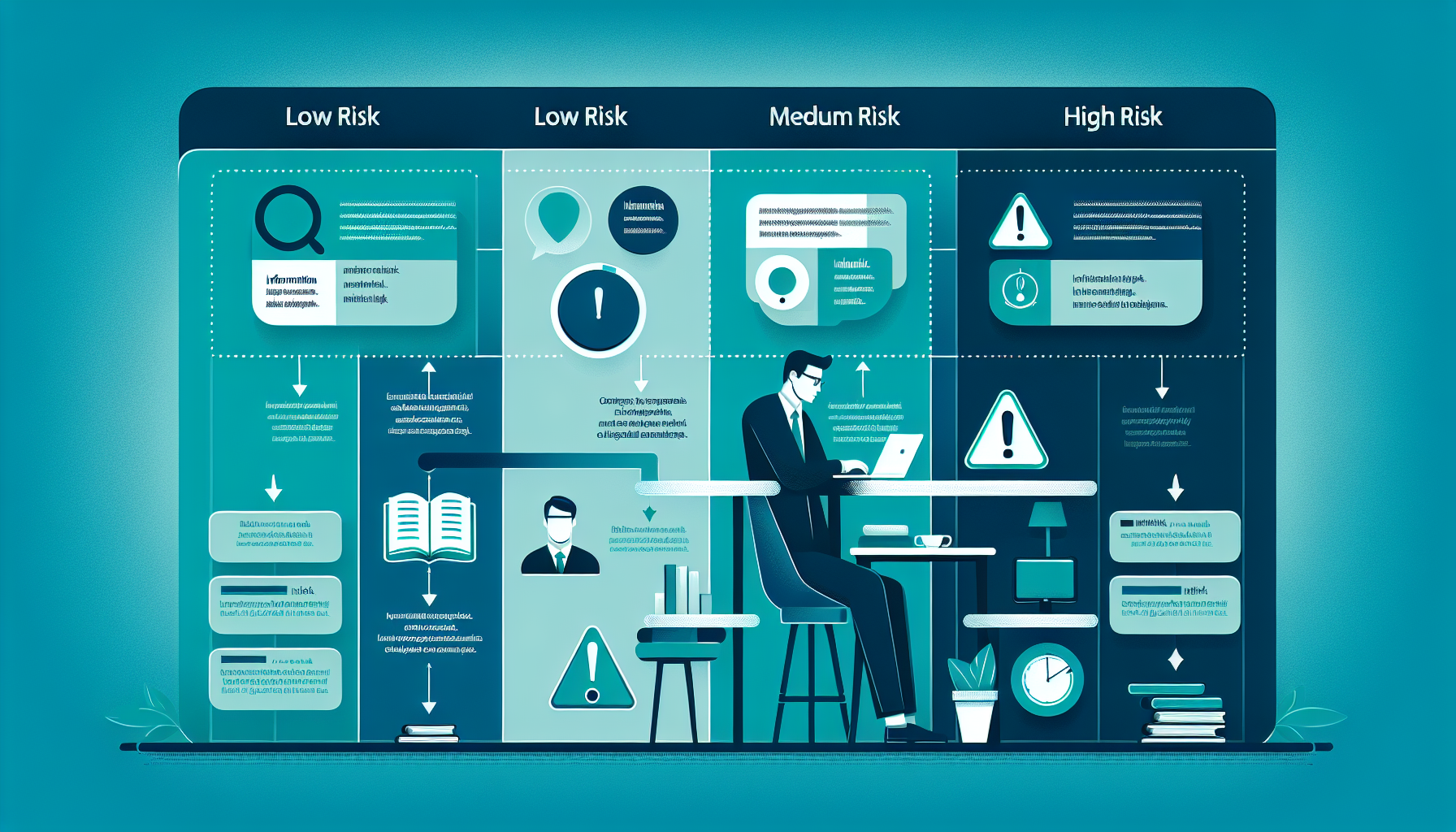
Implementing a human review workflow PPC teams can adopt involves three tiers of risk:
- Low risk: Informational queries like policy definitions or general optimization tips. Action: document and file for reference.
- Medium risk: Suggestions affecting campaign settings (e.g., budget increases, ad scheduling). Action: batch for a weekly team review and cross-check with performance data.
- High risk: Instructions requiring account changes—billing updates, MCC access requests, or policy appeals. Action: require immediate human verification and formal approval from a senior PPC manager.
By categorizing AI responses according to potential impact, you can allocate human resources efficiently and reduce the chance of costly miscommunications.
What to do if the AI email asks for sensitive account changes
AI support emails may request adjustments that expose your account to risk, such as:
- Adding or removing users from your Google Ads account
- Changing linked billing profiles or payment methods
- Approving policy exceptions or exemptions
Before taking action:
- Authenticate the sender: Confirm the email originates from @google.com and cross-reference with a support ticket in your account dashboard.
- Validate with a live agent: Open a separate chat or phone session via Google Ads Support to confirm the request.
- Document consent: Secure written approval from your internal stakeholders and archive the email in your compliance log.
This protocol ensures you do not inadvertently expose account credentials or grant unauthorized access.
How to track, document, and escalate AI-generated support issues
A robust documentation process is essential for auditing and continuous improvement:
- Ticket logging: Tag each AI email with a unique identifier and record the date, sender, and summary of recommendations.
- Outcome tracking: Note whether you implemented the advice, flagged discrepancies, or escalated to a human reviewer.
- Escalation paths: Define clear criteria for when to forward unresolved or risky issues to Google Ads account managers or your agency lead.
Regularly review these logs in monthly strategy meetings to refine your human review workflow PPC teams and update internal playbooks accordingly.
Key Takeaways
- AI generated Google Ads support emails deliver faster responses but require verification for critical actions.
- Use a three‐tier risk framework—low, medium, high—to determine when human review is necessary.
- Authenticate sender identity, verify via live support, and document all changes to protect account integrity.
Frequently Asked Questions
Are Google Ads support emails actually generated by AI?
Yes, Google now indicates when support replies are drafted by AI. These messages carry an “AI generated emails” disclaimer, alerting you that a language model composed the content. While this speeds up initial responses, always cross-check recommendations against your account data for accuracy before making changes.
What does the “AI generated emails” disclaimer mean for my account details?
The disclaimer warns that the content may not perfectly reflect your specific account settings or recent changes. Treat the recommendations as provisional: verify campaign IDs, budget figures, and policy guidance in your Google Ads interface or through a human agent to prevent misconfigurations.
By integrating AI efficiency with a governance workflow, you can harness faster Google Ads support responses without sacrificing accuracy or security.
Ready to optimize your AI support process? Download our free human review workflow template [LINK TO: PPC governance workflow template] and ensure every AI-generated reply is validated before action.